Rendering and lighting
Lighting, detail and materials, from small rooms to wide open views.
There are two renderers, standard and high-definition, and one shader format works in both. In the high-definition renderer, detail scales with the screen instead of with hand-made lower-detail versions. On graphics cards with ray tracing, light bounces live and shadows and reflections can be traced; other cards get simpler lighting.
Features marked first version work and are still being refined.
Shipped
Facet: detail without triangle budgets
Meshes with millions of triangles draw only the detail the screen can show, so you stop hand-making lower-detail versions. Rocks, trunks and scanned props stay sharp up close and cheap far away. Geometry streams from disk as the camera moves. Available in the high-definition renderer.
Far-away worlds that stay cheap
Distant objects turn into baked billboards and merged stand-ins automatically, so long view distances stay affordable. Available in the high-definition renderer.
Solstice: real-time light and reflections
Light bounces around the scene live: sun, sky and glowing surfaces light everything they face, and reflections include objects that are off screen. It needs a graphics card with ray tracing; without one, the scene uses simpler lighting and the editor says why. Available in the high-definition renderer.
Sharp, stable shadows at any distance
Sun shadows are cached and only redrawn where something moved, so wide views stay sharp and cheap. Point and spot lights cast shadows too. On graphics cards with ray tracing, the high-definition renderer can trace shadows, and swaying trees and animated characters show up in them as they move.
Physical sky and clouds
A sun-driven sky with volumetric clouds, cloud shadows and distance haze. Available in the high-definition renderer. Optional automatic exposure, where the camera adapts like an eye between shade and sunlight, arrives in the next release.
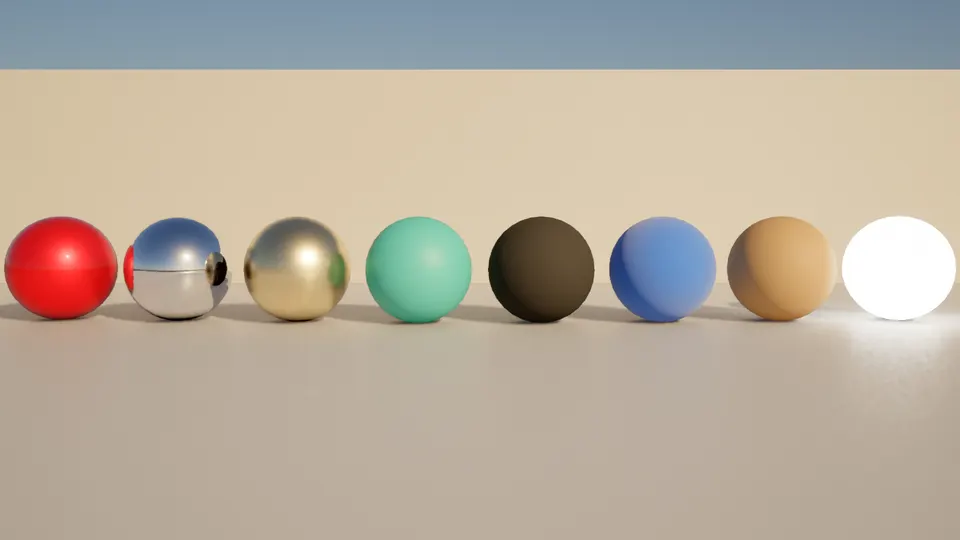
Physically based materials
Metal, clear-coat car paint with flakes, back-lit leaves and cloth, and correct overlapping transparency in the high-definition renderer. Upscaling and multisampling keep edges clean.
Write shaders with guard rails
A shader code panel with colors, sliders generated from the code, error hints, a cost meter and a live preview. One shader file works in both the standard and high-definition renderers. From the next release, desktop exports prepare every shader while loading, so play does not stutter the first time an effect appears.
A good look by default
A scene that sets no exposure or grade gets automatic exposure and a light grade, and both renderers share the same tone curve, so a first scene looks right in either.


Coming in this area
- NowSharper terrain and distant forests. More terrain detail, better distant forests, and the standard and high-definition renderers looking alike.
- NextLocal exposure. Bright skies and dark interiors both readable in the same view.
- NextVolumetric light and better skin. Light shafts through fog and haze, scenes with many lights, and better translucency and skin.
- LaterHair and fur. Hair cards first, then individual strands.