Engine / Sequencer · In development
Direct the camera.
Then let your AI do it.
The Sequencer puts your scene's camera shots on a timeline in the editor. Fly to a view, add a shot, press play. The same shot list plays in your scenario and in every recording.

- Five kinds of shotHold, path, orbit, follow and two-shot, played back to back.
- One shot listSaved with the scene. Your scenario plays it, and so does every recording.
- About 40 tokensWhat shots add to an AI assistant's tool list. No new tools to load.
In development Built and tested, and waiting to join the engine's main line. Not in a released version yet.
What it is
A camera timeline, built into the editor.
Shots on a time ruler
Holds, moves along a path, orbits, follow shots and two-shots, played back to back.
Made from what you see
You make a shot from the view you are looking at. No numbers to type unless you want to.
One list, used everywhere
One shot list per scene, saved with the scene. The scenario plays it. Recordings play it. An AI assistant can write it.
How you use it
From an empty scene to a camera move, in six steps.
Open it when you need it.
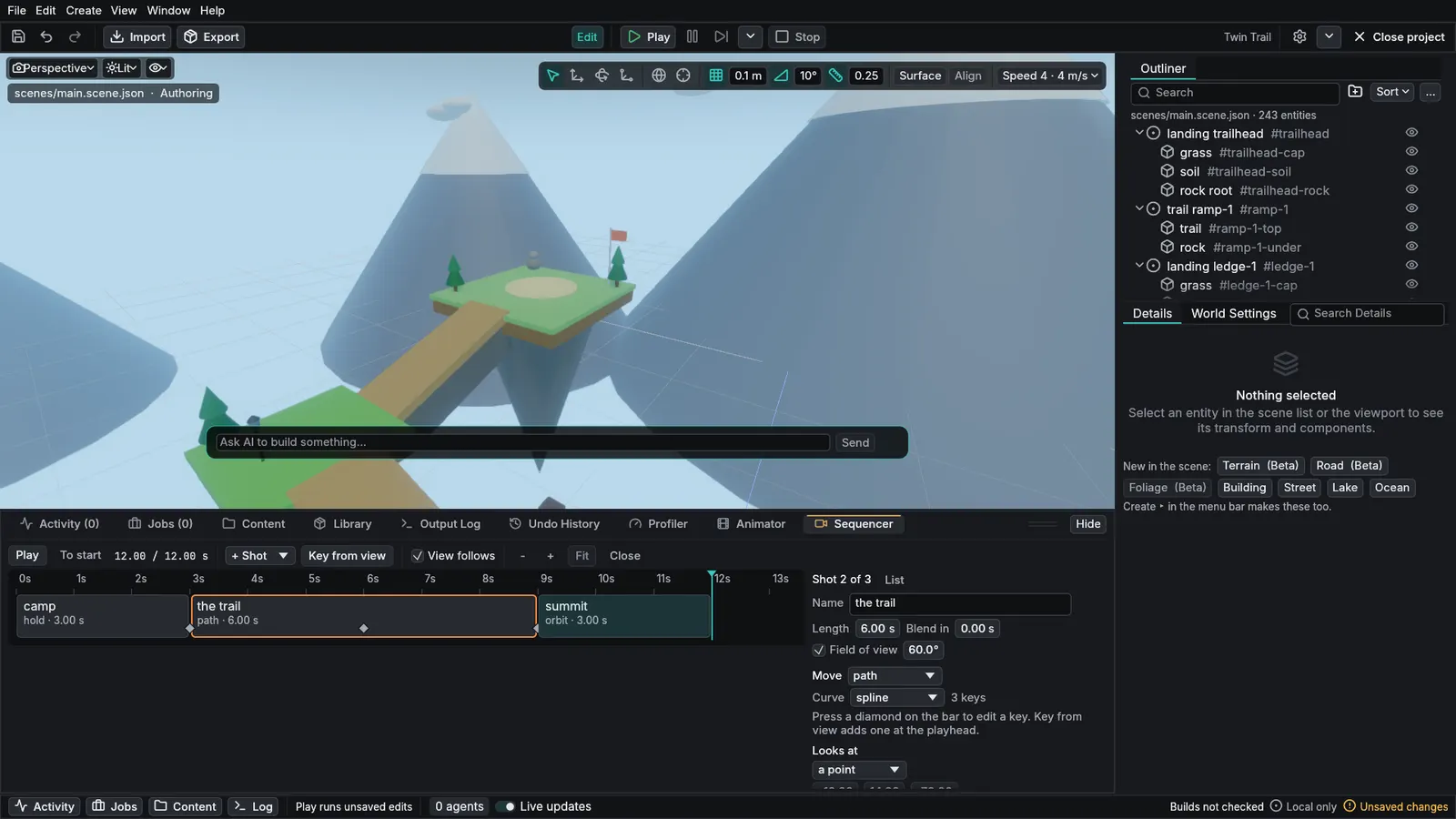
Window > Sequencer adds the tab. A project that never films anything never sees it.
Frame it, then keep it.
Fly the viewport to where the camera should be and press + Shot. The shot starts from exactly what you see.
Add movement.
On a path, move the playhead, fly to the next spot and press Key from view. The camera travels through your keys, straight or as a smooth curve.
Retime by dragging.
Pull the edge of a shot to make it longer or shorter. Its keys keep their place in the move.
Watch it where you work.
Scrub or press Play and the viewport becomes the shot's camera.
Step back and see the whole move.
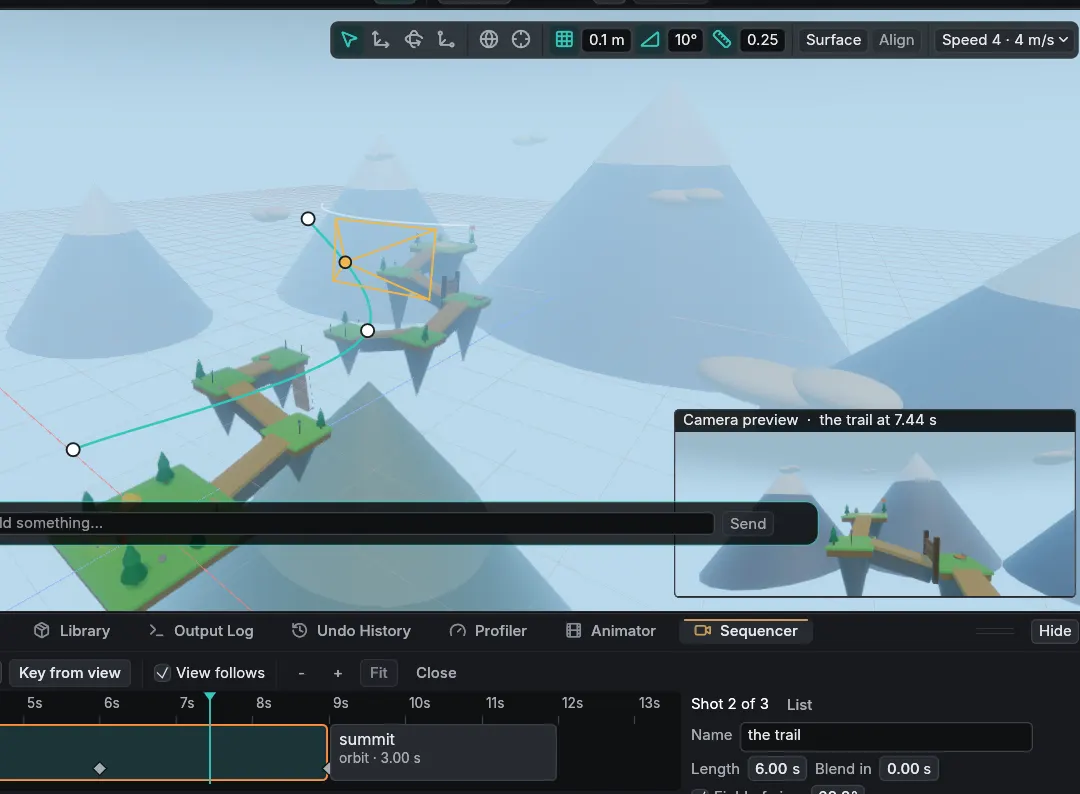
Fly away and the viewport draws the camera's path, its keys and the camera itself, with a small preview of what the shot sees.
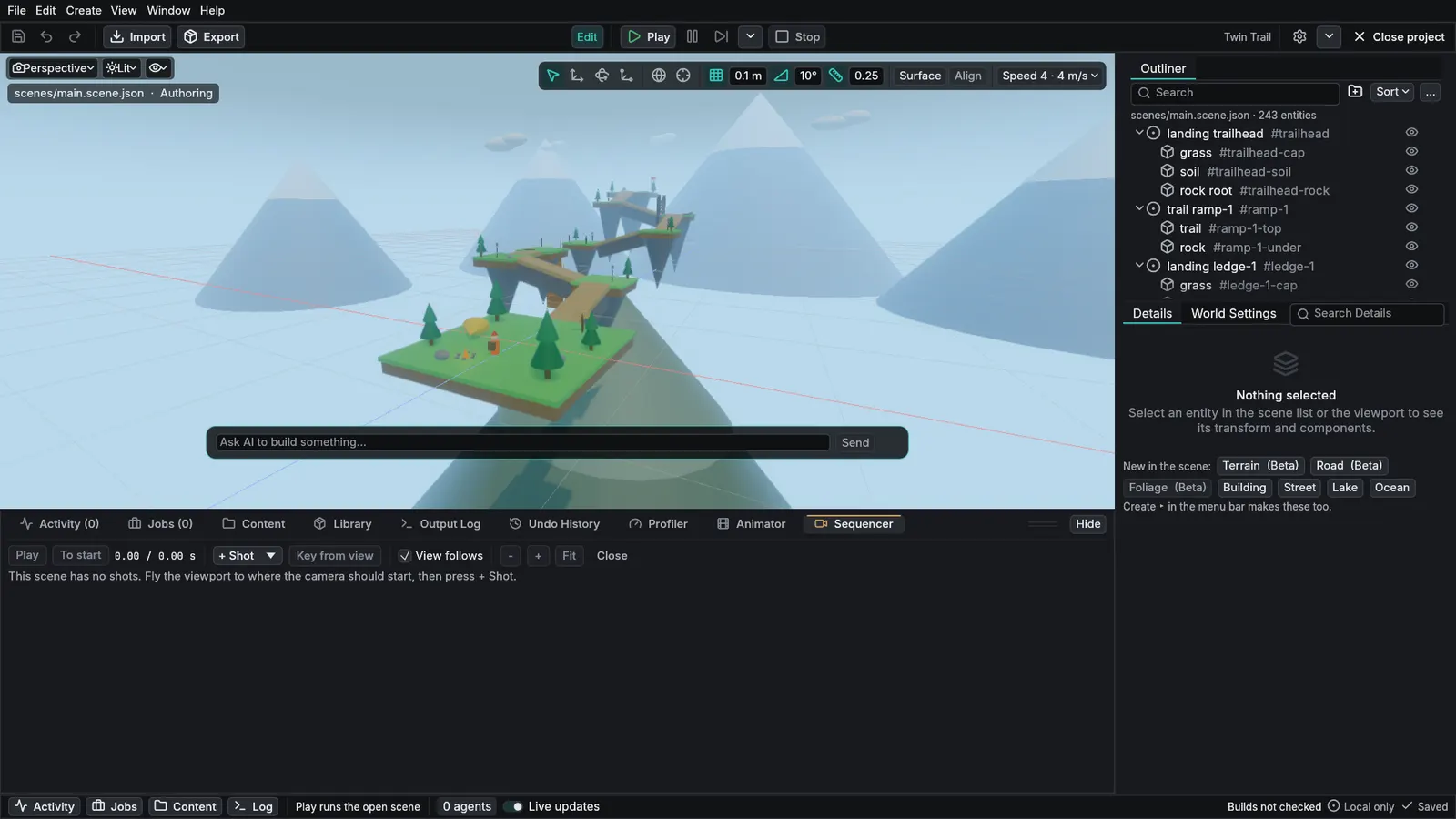
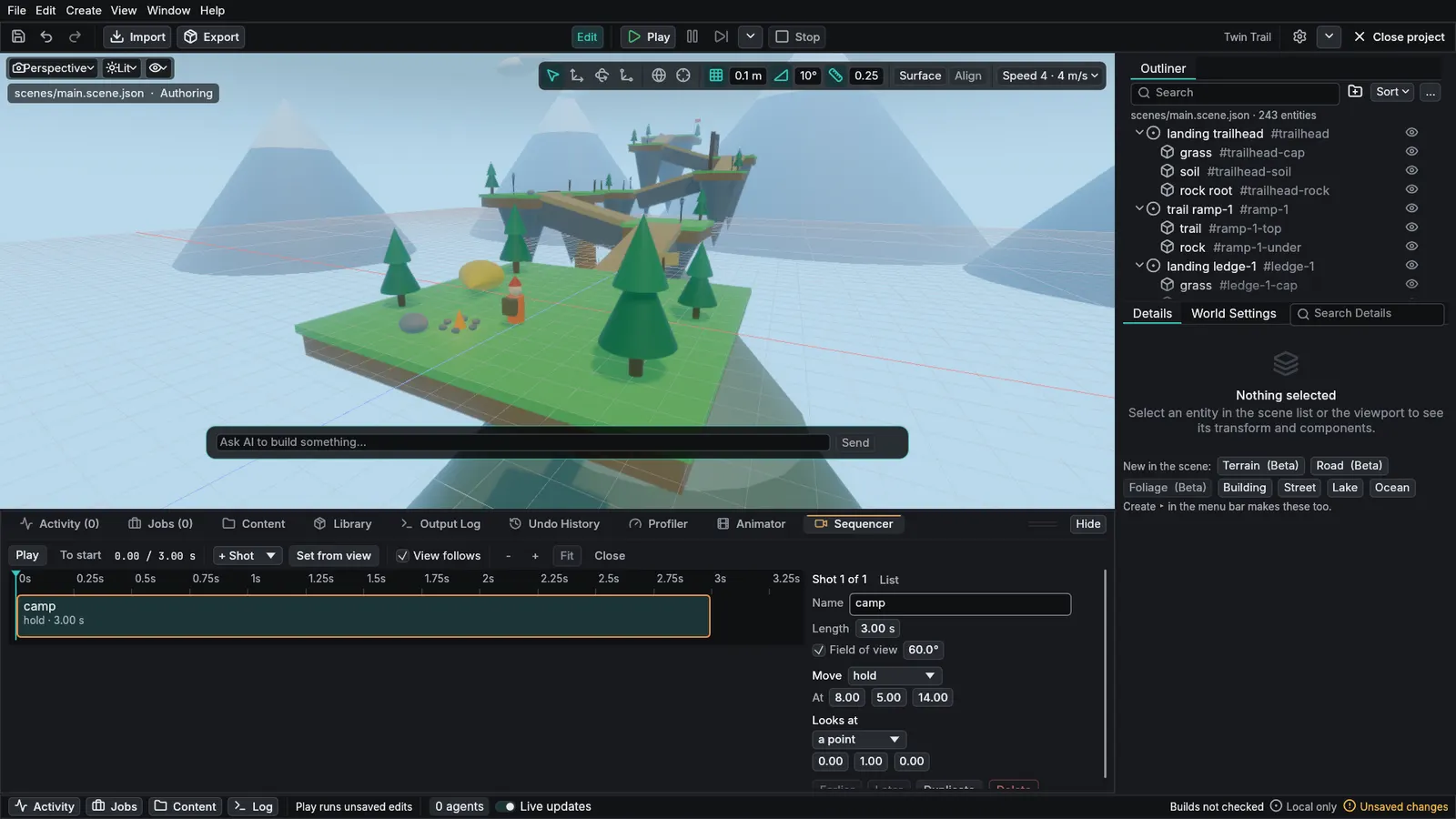
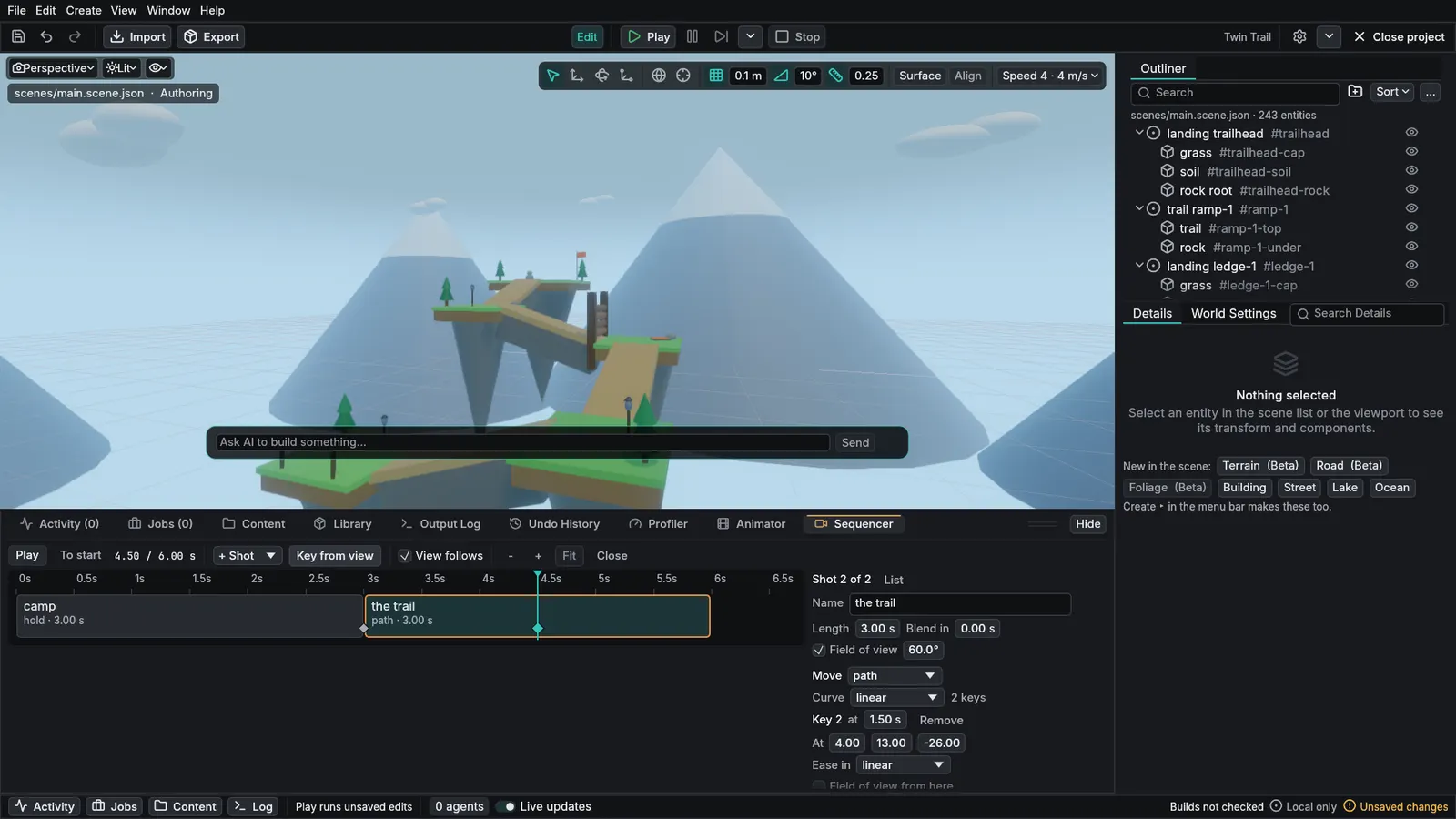
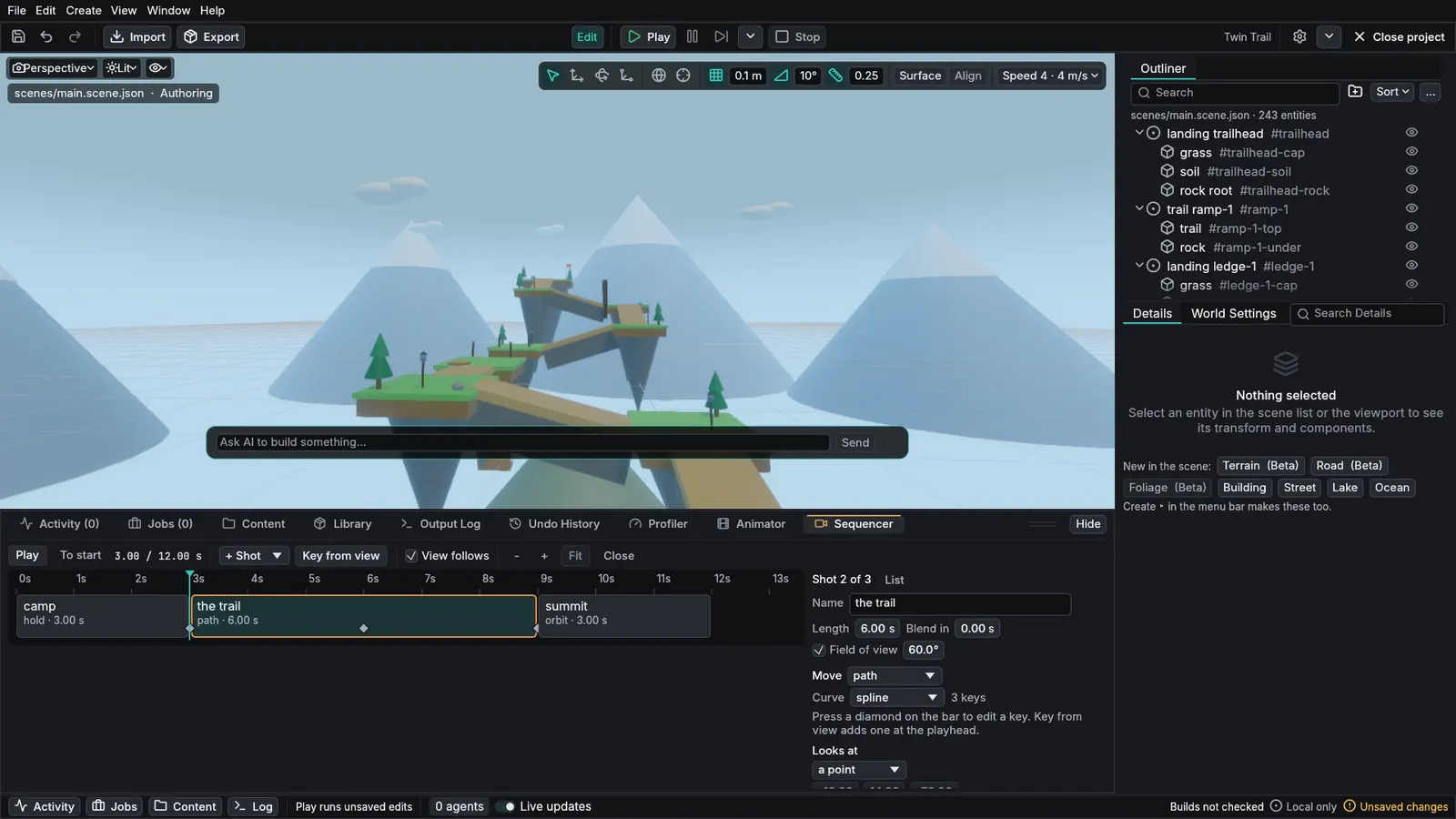
Select a picture to see it at full size.
The result
The same shots, played by the scenario.
This is the sample running and playing the shots from the clip above. Nothing was exported or converted: the shot list is part of the scene, so the scenario's own camera plays it, frame for frame the same on every run.

For AI assistants
Your assistant can shoot the scene too.
A shot list is plain scene data, so an AI assistant writes it with the same tool it uses for everything else in a scene, and the engine checks it the same way. To see its own framing, the assistant asks for a contact sheet: the camera's view at moments through the sequence, numbered, in one picture. It looks, adjusts a shot, and looks again.
No extra tools to load. Shots add about 40 tokens to an assistant's tool list.
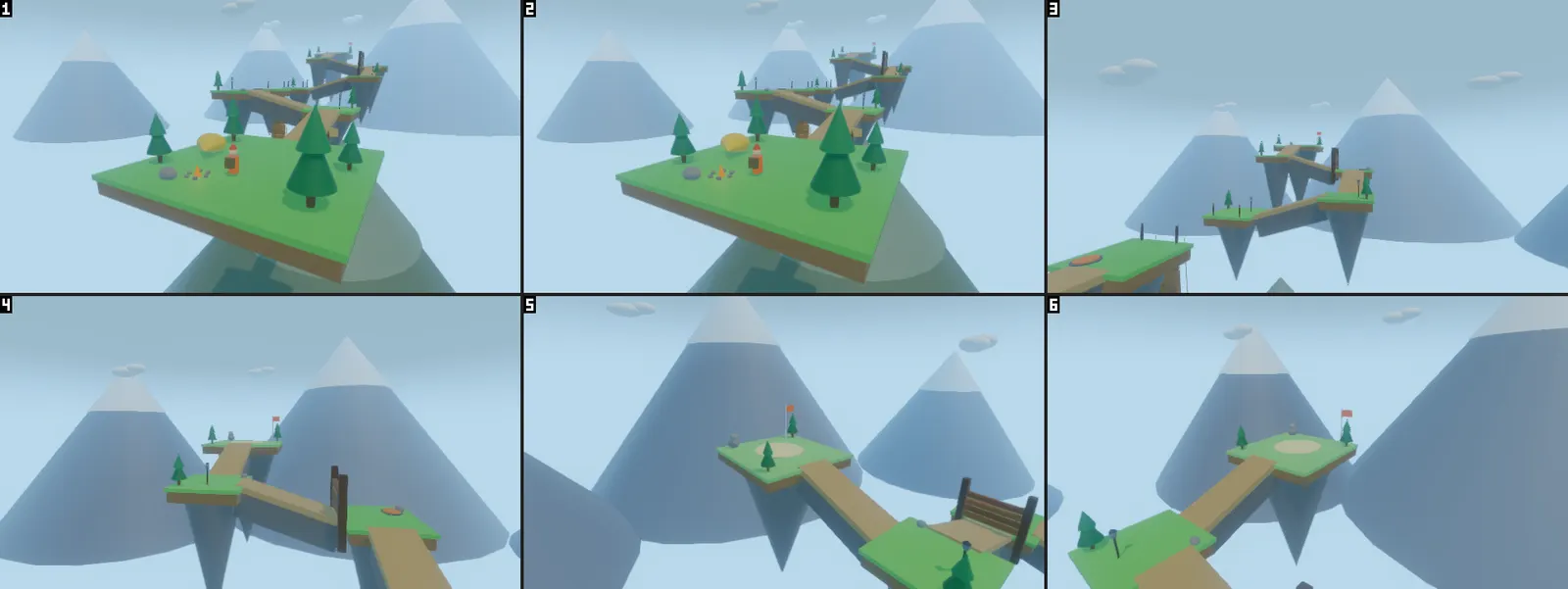
Tried once so far: a Claude Opus assistant, given only the engine's guide and its tool list, built a three-shot sequence, checked it with a contact sheet, fixed one shot and checked again, in about 10 tool calls. One run, one model, one task.
Details
Details that matter to people who film things.
Five kinds of shot
Hold, path (straight or smooth), orbit, follow an object, and a two-shot that keeps two subjects in frame.
Cuts or blends
Each shot can blend in from the one before over any length of time.
One undo step per change
Adding a shot, adding a key and dragging an edge each undo in one step.
Read-only while the scenario runs
In Play the timeline shows where the scenario's camera is in the list.
Reproducible
Shots play on the scenario's own clock, so a recording gets the same camera every time.
Straight answers
What it is, and what it is not.
- Can I get it today?
- Not yet. It is built and tested, and no released version of the engine has it.
- Is it a full film-making tool?
- No. It is a camera timeline: one shot list per scene, camera only. There are no animation, audio or event tracks on it, and no library of sequences.
- What can a moving camera look at?
- One point or one object for the whole shot, or along its direction of travel. Camera roll is not part of a shot.
- Can I drag shots to reorder them?
- Not yet. The Earlier and Later buttons move a shot. Dragging a shot's edge changes its length.
- Has an AI really done this?
- Once. A Claude Opus assistant, given only the engine's guide and its tool list, built a three-shot sequence, checked it with a contact sheet, fixed one shot and checked again, in about 10 tool calls. That is one run, one model and one task. It also found gaps, which were fixed afterwards; the fixes have not been tried again by a new assistant.
- Did a person record the editor clip?
- No. It is the real editor, driven by a script that presses the Sequencer's own buttons. The script moves the viewport and steps the playhead so the video is smooth, and the captions were added afterwards. There is no mouse pointer.
- Is this the engine's best picture?
- No. The scene is a sample built from simple shapes, drawn by the standard renderer on a processor.